



Overview
Compressible Pipe Flow Analysis & System Modeling Software
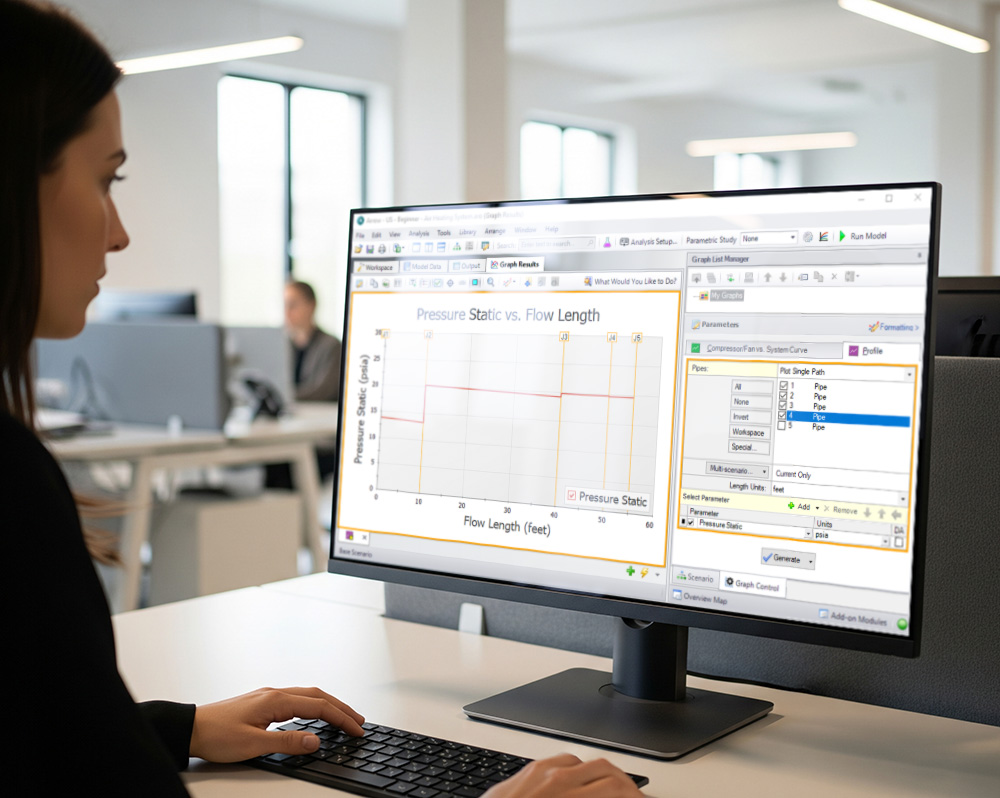
Arrow™ by Datacor : an intuitive visual platform for modeling compressible flow in pipe networks that brings increased productivity to the pipe flow engineer by simplifying the pipe network modeling process, combining drag-and-drop modeling with traditional engineering hydraulic analysis.
Arrow can show both input data and analysis results in visual form, allowing rapid analysis of a model’s validity. Arrow’s intuitive graphical environment accelerates the identification of erroneous assumptions, typographic and modeling errors as well as re-running models, all with the click of a cursor.
Whether you need to evaluate and improve an existing system or design a new one, Arrow greatly improves productivity in the modeling process.

Visual Modeling
Quickly build, view, and validate complex pipe networks—all in a single intuitive graphical environment
Scenario Manager
Track and compare multiple design or operating cases within one file, enabling rapid “what‑if” comparisons
Cost & Energy Analysis
Automated Network Sizing calculates capital costs (pipes, components) or ongoing energy use to help optimize designs for both initial budget and lifecycle efficiency
Advanced Fluid Modeling
Supports complex fluids and systems—including non‑Newtonian slurries, variable‑speed pumps, heat transfer, and goal‑seeking controls—making it ideal for rigorous engineering applications
What can Arrow do?
Arrow can be used to model a wide variety of compressible flow systems, including :
- Open and closed (recirculating) systems
- Network systems that branch or loop, with no limit on the number of loops
- Pressure-driven systems
- Compressor or fan-driven systems, including multiple compressor/fans in parallel or in series
- Compressor/fans with variable speed, controlled pressure and controlled flow
- Systems with pressure and/or flow control valves
- Systems with valves closed and compressor/fans turned off
- Heat transfer analysis and system energy balance
- Systems with non-ideal gases
- Systems that experience sonic choking, including multiple sonic choking points
- Systems with non-reacting flow stream mixing and user-defined mixtures (with optional Chempak)
- Systems with elevation changes or rotation such as in turbomachinery
- Multiple design cases in a single model file
- Cost calculation of compressor and fan energy usage
Arrow provides hundreds of standard loss models for pipe system components, but also allows you to enter your own data. Variable loss models that depend on flow are supported.
Arrow’s powerful solution engine is based on benchmark methods used for many years in industry. The Newton-Raphson method is used to solve the fundamental equations of pipe flow that govern mass and momentum balance. Solutions are obtained by iteration, and matrix methods optimized for speed are employed to obtain convergence.
Arrow provides two independent solution methods that can be run individually or in combination with each other to allow flexibility and cross-verification of results.
In addition, Arrow offers two lumped methods which offer improved computation speed with a slight loss in accuracy. Modeling of low to high pressure and low to high velocity systems can be performed. Sonic capabilities allow modeling of high velocity conditions such as in relief systems.
Arrow can model a large range of gas systems including steam, natural gas, air, and chemical and petrochemical process gases. Support for real gases is offered through several generalized equation of state models or the optional Chempak add-on.
Who can use Arrow?
Effective use of Arrow requires a basic understanding of compressible flow theory. Arrow users should have a working knowledge of all Compressible Flow Theory concepts. In some cases it may be advisable that users attend training courses offered by Datacor Pipe Flow Modeling or Arrow recognized authorities.
In addition to familiarity with compressible flow theory, engineers who use Arrow should be familiar with standard industry practice in analyzing gas piping systems.
Innovations
Arrow Highlights

Arrow Highlights
Parametric Study Tool
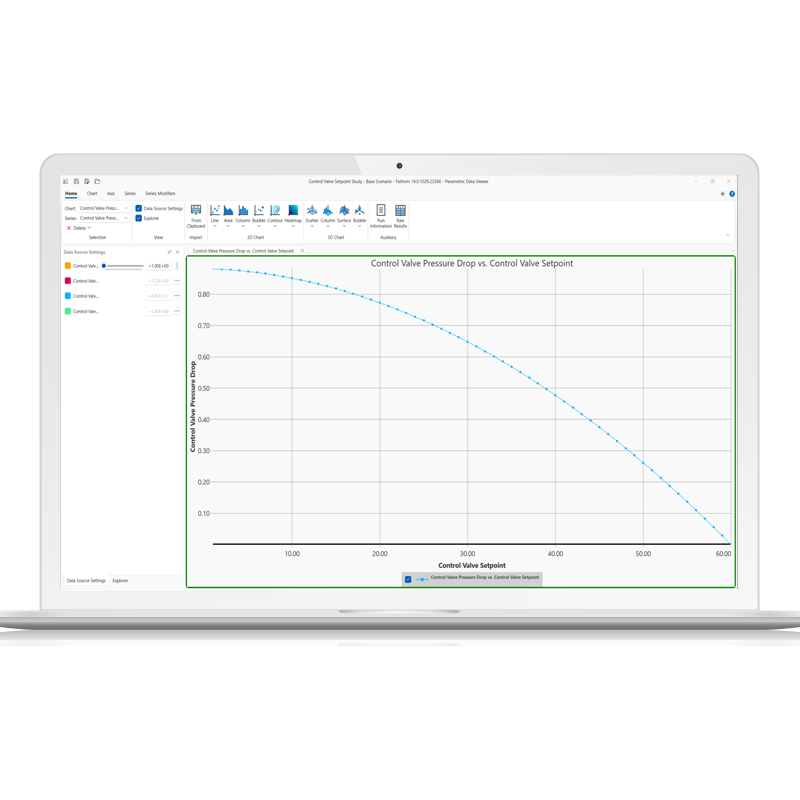
The Parametric Study tool enables rapid and in-depth simulation analysis, allowing users to explore a wide range of input parameters efficiently. By systematically varying inputs, the tool helps identify critical factors affecting system performance, enhancing sensitivity analysis and optimization. Engineers can gain clear insights through graphical trends, even in cases where traditional goal-seeking methods struggle. This approach facilitates better decision-making by providing visual justifications for key trade-offs, such as cost versus performance.
Arrow Highlights
Graph Annotations
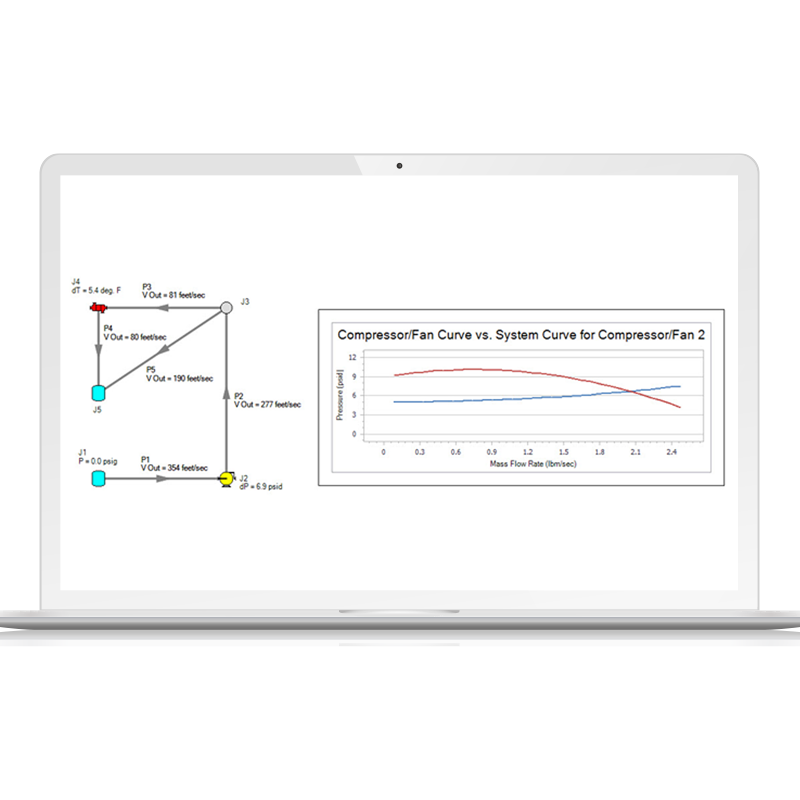
Graph Annotations is a new feature designed to enhance modeling workflows by allowing users to add auto-updating graphs directly to their Workspace. These graphs provide instant insights by visually comparing model results without requiring users to navigate elsewhere. Fully resizable, movable, and easily hidden, they function like Color Map layers, updating automatically based on Output data. By bringing the capabilities of the Graph Results tab to the Workspace, this provides a streamlined approach to reviewing key data, improving efficiency and decision-making.
Arrow Highlights
Scenario Comparison Layer
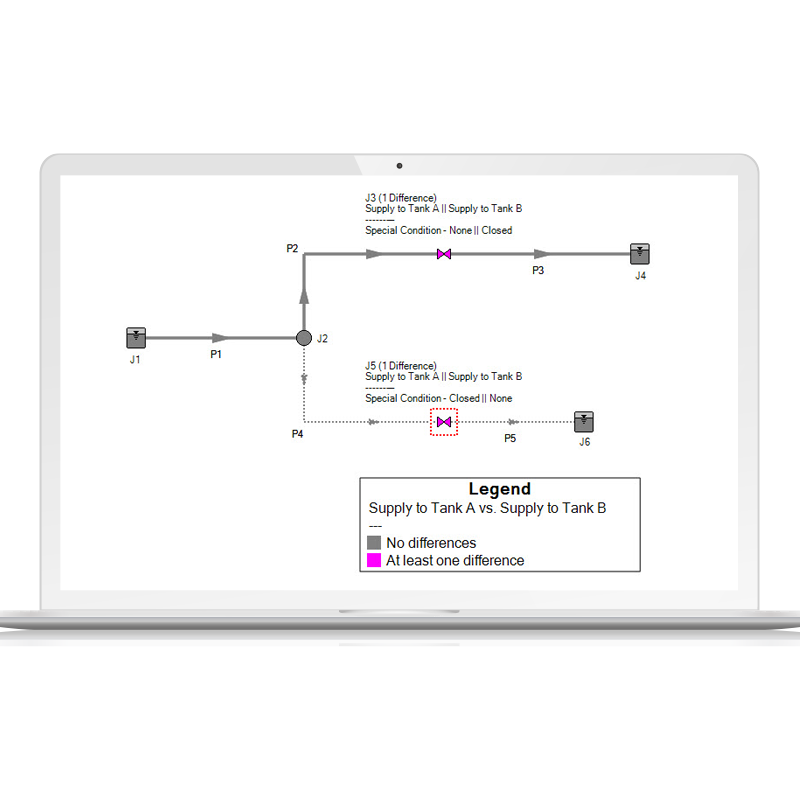
The Scenario Comparison Layer enhances clarity in scenario analysis by visually highlighting differences between the current scenario and a selected comparison scenario, whether explicitly chosen or related by one degree (Parent, Sibling, or Child). Objects with differences are color-coded on the Workspace, allowing users to quickly identify differences between the scenarios. Each modified object provides an easy way to inspect specific parameter and value differences through the object labels and the Inspection Window. This update delivers the capabilities of the Scenario Comparison Tool through a much more visually appealing and intuitive layer, streamlining the analysis process and improving user efficiency in interpreting complex models.
Arrow Highlights
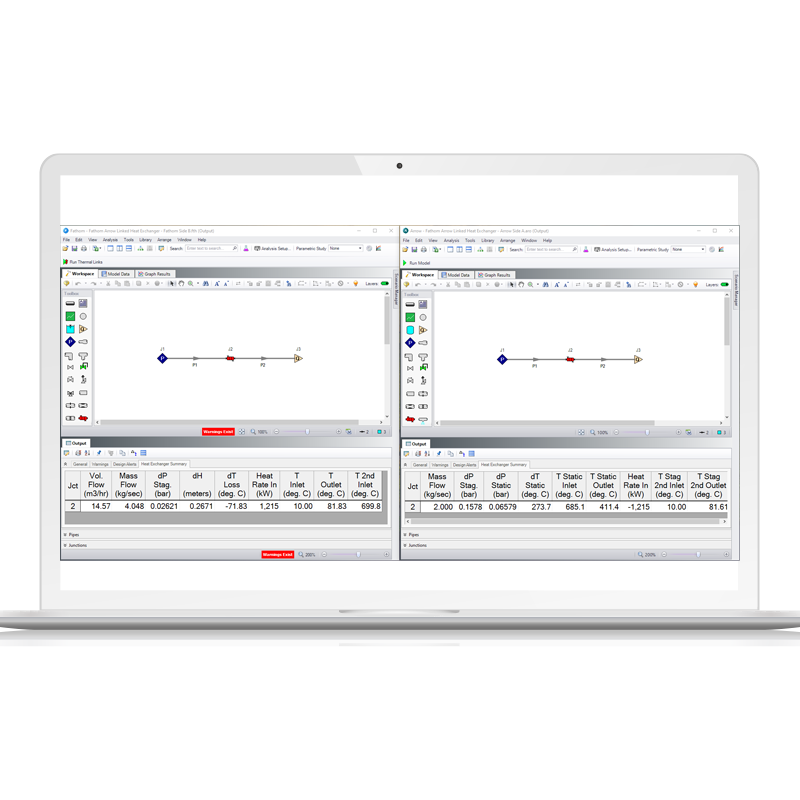
Cross-App Heat Exchanger Thermal Link
The new Cross-App Heat Exchanger Thermal Link feature in Fathom and Arrow streamlines the thermal analysis of liquid-gas heat exchangers by allowing direct thermal connections between heat exchanger junctions in gas (Arrow) and liquid (Fathom) systems. This integration enables both applications to run simultaneously until a converged solution is reached, eliminating the need for manual iterations. By automating this process, users can significantly reduce errors, complexity, and the time spent on iterative adjustments.
Add-on modules
Arrow add-on Modules
Arrow has two add-on modules which extend its already extensive modeling capabilities into new areas.
Goal Seek & Control (GSC) module
Allows the engineer to perform multi-variable goal seeking and simulate control system functions.
Extended Time Simulation (XTS) module
The Extended Time Simulation (XTS) module for modeling time varying system behavior.
Contact
Request a Demo
Schedule a brief meeting with our team to walk through the software and find out why it’s the industry standard for incompressible flow analysis.