



Overview
Steam & Gas Transient Analysis Software
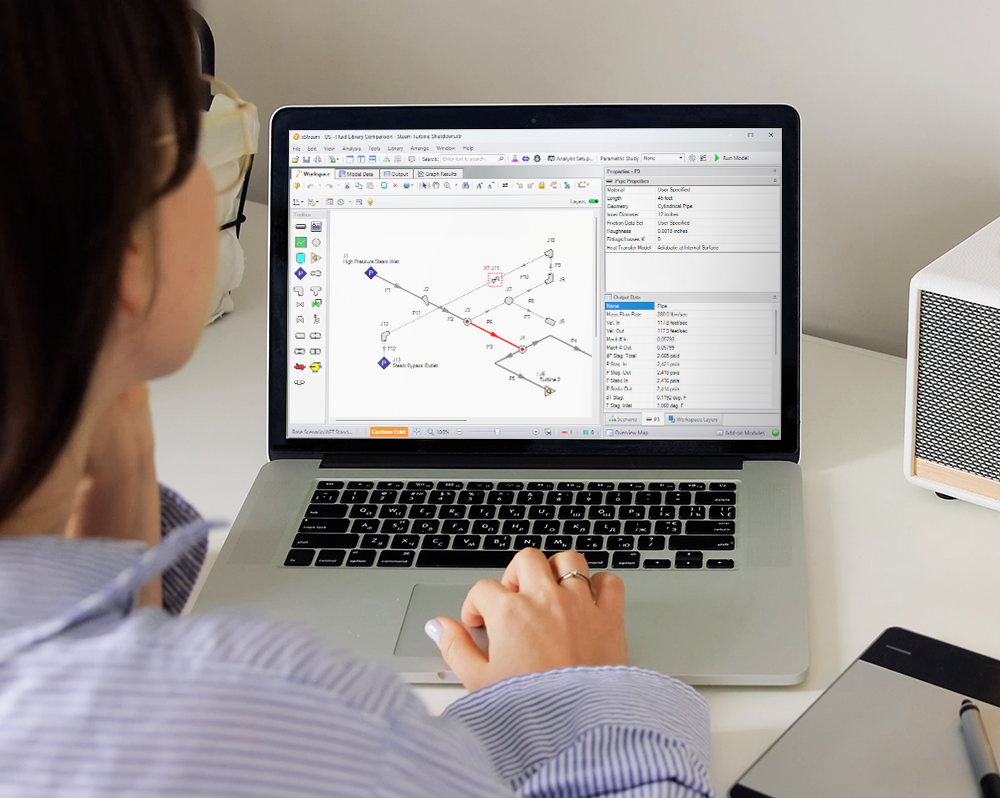
xStream™ by Datacor : an intuitive visual platform for modeling compressible fluid transients in pipe networks that brings increased productivity to the pipe flow engineer by simplifying the pipe network modeling process, combining drag-and-drop modeling with traditional engineering hydraulic analysis.
xStream can show both input data and analysis results in visual form, allowing rapid analysis of a model’s validity. Arrow’s intuitive graphical environment accelerates the identification of erroneous assumptions, typographic and modeling errors as well as re-running models, all with the click of a cursor.
Whether you need to evaluate and improve an existing system or design a new one, xStream greatly improves productivity in the modeling process.

Compressible Transient Accuracy
Model shocks, reflections, choking, and heat transfer with a transient solver built for gas/steam upsets so pressures and temperatures are predicted that you can act on.
Event-Driven Operations
Simulate trips, valve/damper moves, and emergency shutdowns with timed or conditional events to verify procedures and interlocks before you run them in the plant.
Blowdown Evaluation
Predict depressurization timelines, relief flows, and temperature drops to check allowable limits at headers, tie-ins, and downstream consumers.
What can xStream do?
Website ergonomics & copy
Section 2 / Solutions
xStream can be used to model a wide variety of compressible flow systems, including :
- Open and closed (recirculating) systems
- Network systems that branch or loop, with no limit on the number of loops
- Systems with valve transients
- Systems with compressor transients
- Systems with pressure or flow control valve transients
- Multiple design cases in a single model file (Scenario Manager)
xStream’s steady-state solution engine is based on benchmark methods used for many years in industry. The Newton-Raphson method is used to solve the fundamental equations of pipe flow that govern mass, momentum and energy balance. Solutions are obtained by iteration, and matrix methods optimized for speed are employed to obtain convergence.
Once a steady-state solution is obtained, Impulse simulates the transient using the Method of Characteristics, the most widely used method for solving fluid transient problems.
Who can use xStream?
xStream assumes that the user possesses a good general knowledge of compressible flow theory and has at least a basic understanding of fluid transients. Even the most advanced and easy-to-use software package can’t compensate for a lack of fundamental knowledge on the part of the user.
Innovations
xStream Highlights

xStream Highlights
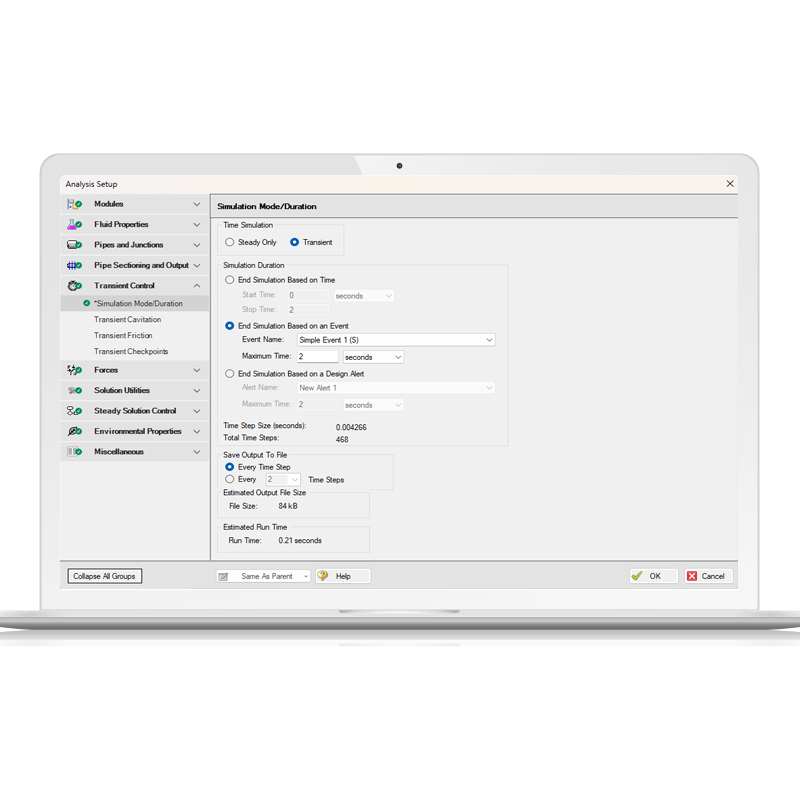
End Transient Run Feature
Impulse and xStream now offer more flexible ways to end a transient simulation, with new options that go beyond stopping at a predefined time. In addition to time-based termination, users can now choose to halt a run when a specific transient event occurs or when a user-defined Design Alert is triggered. Design Alerts, which typically highlight when a pipe or junction reaches a set condition—such as « If the pressure exceeds X in pipe Y »—can now be used to stop the simulation entirely.
xStream Highlights
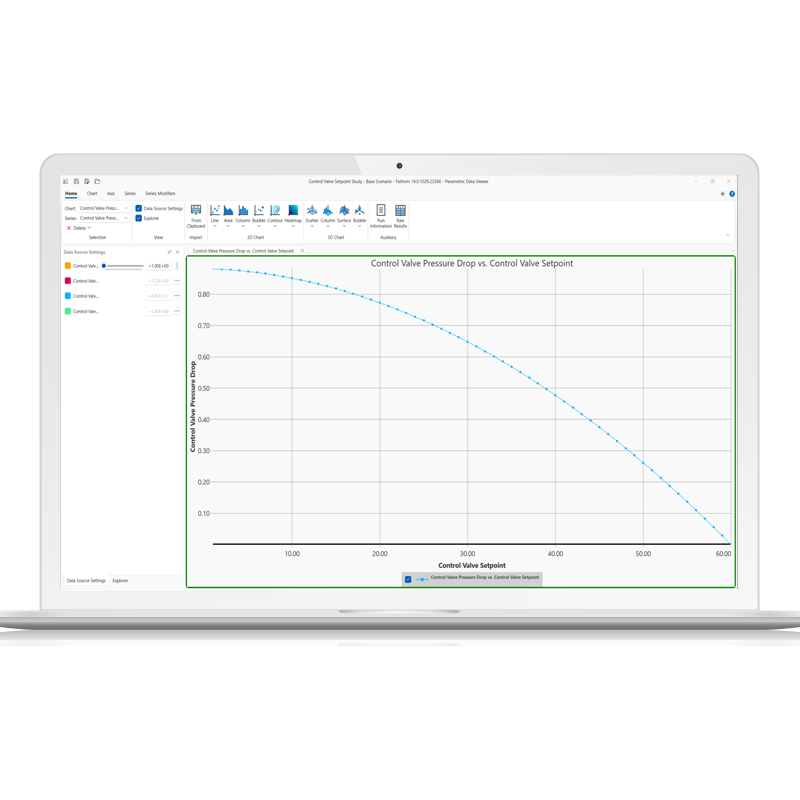
Parametric Study Tool
The Parametric Study tool enables rapid and in-depth simulation analysis, allowing users to explore a wide range of input parameters efficiently. By systematically varying inputs, the tool helps identify critical factors affecting system performance, enhancing sensitivity analysis and optimization. Engineers can gain clear insights through graphical trends, even in cases where traditional goal-seeking methods struggle. This approach facilitates better decision-making by providing visual justifications for key trade-offs, such as cost versus performance.
xStream Highlights
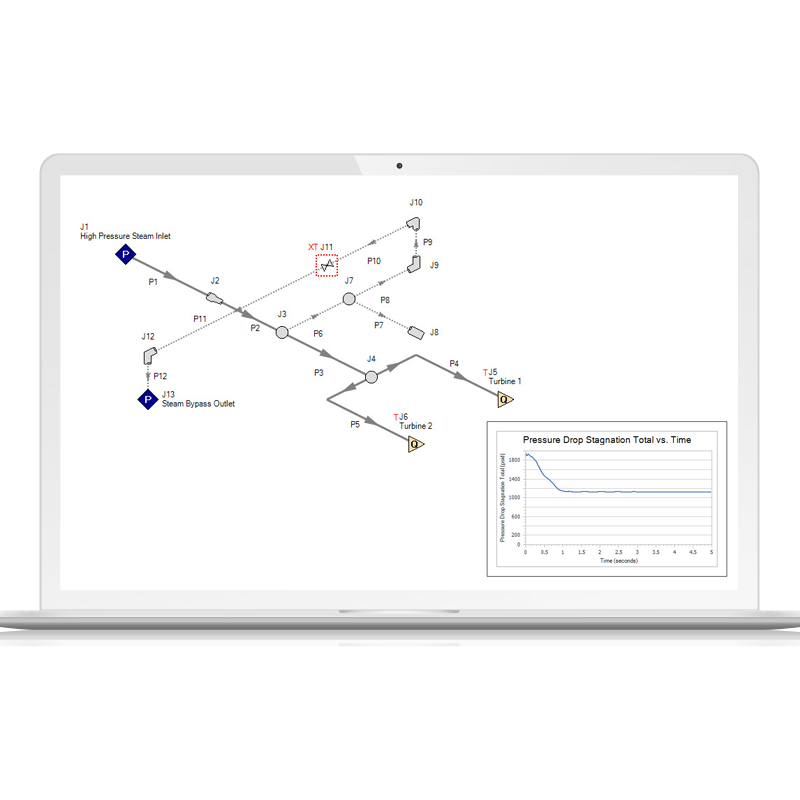
Graph Annotations
Graph Annotations is a new feature designed to enhance modeling workflows by allowing users to add auto-updating graphs directly to their Workspace. These graphs provide instant insights by visually comparing model results without requiring users to navigate elsewhere. Fully resizable, movable, and easily hidden, they function like Color Map layers, updating automatically based on Output data. By bringing the capabilities of the Graph Results tab to the Workspace, this provides a streamlined approach to reviewing key data, improving efficiency and decision-making.
xStream Highlights
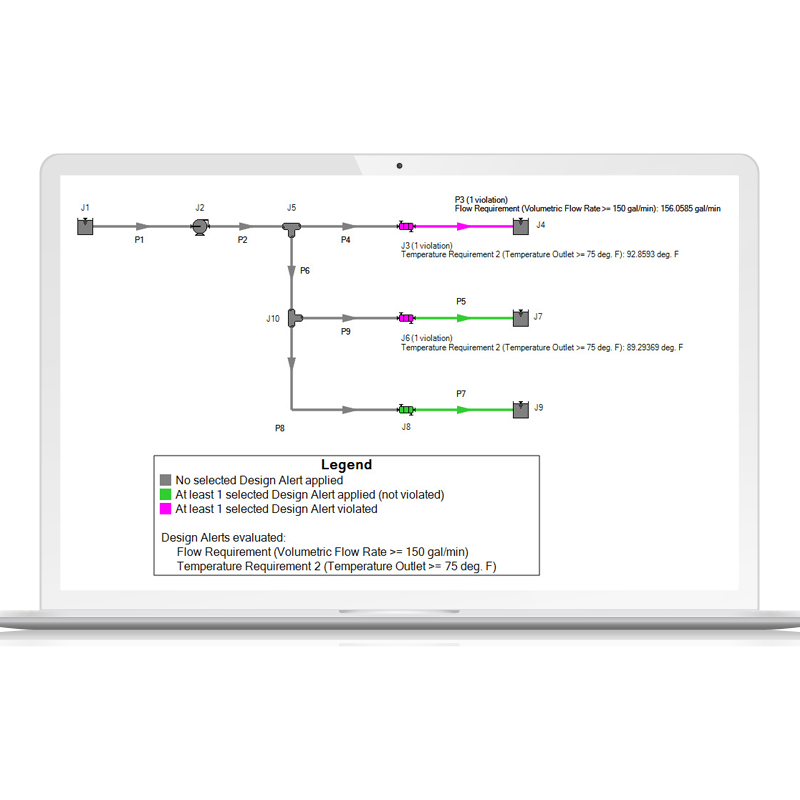
Design Alert Layer
The Design Alert Layer is a new feature designed to enhance model performance visualization and analysis. It provides color-coded indicators on the Workspace to highlight objects that have violated Design Alerts. Each affected object is labeled with the specific condition and evaluated value, eliminating the need for manual checks. This feature streamlines model analysis by identifying and highlighting areas of the Workspace that are exceeding user-set system requirements.
Add-on modules
xStream add-on Modules
xStream has one add-on module that extend smodeling capabilities, th e Pulsation Frequency Analysis Module.
Pulsation Frequency Analysis (PFA)
Pulsation Frequency Analysis (PFA) allows the engineer to predict resonant frequencies in the system and graphically show the frequency response of a system.
Contact
Request a Demo
Schedule a brief meeting with our team to walk through the software and find out why it’s the industry standard for incompressible flow analysis.